termkick logo termkick
macOS · Free · Build 09302026.07.47.1

SSH and local terminals, one window.

A native Mac SSH client with tabs, split panes and a snippets library

termkick lists the hosts in your own ~/.ssh/config and opens each one in a tab, next to local shells, in a single window. It runs Apple's own OpenSSH, so your keys, your agent and your config work exactly as they do in Terminal. No accounts, no cloud, nothing leaves your Mac. Free.

Free Download for Mac What it does How it handles your keys

Free, with no strings attached. No credit card, no account, no trial, no subscription, no ads.
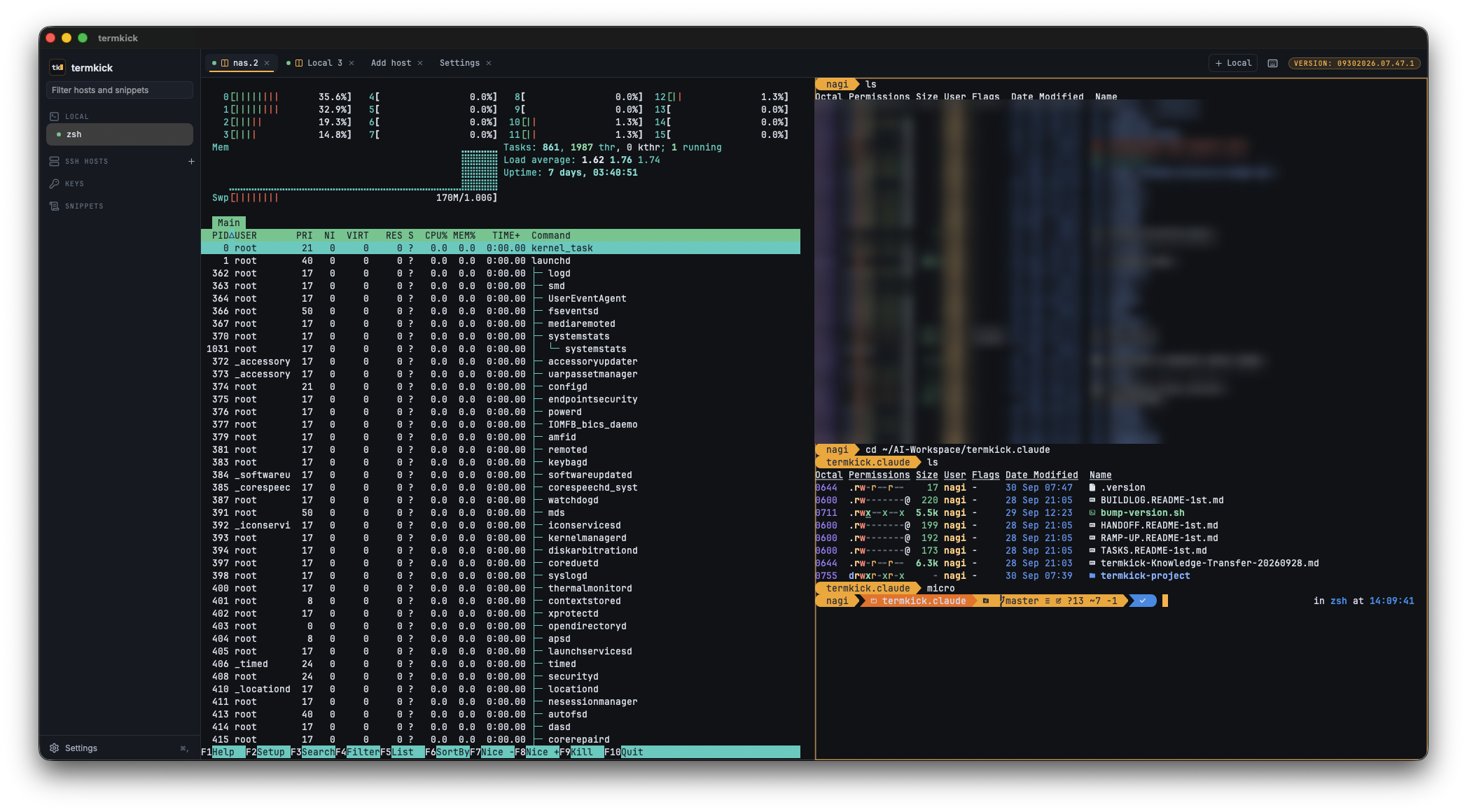
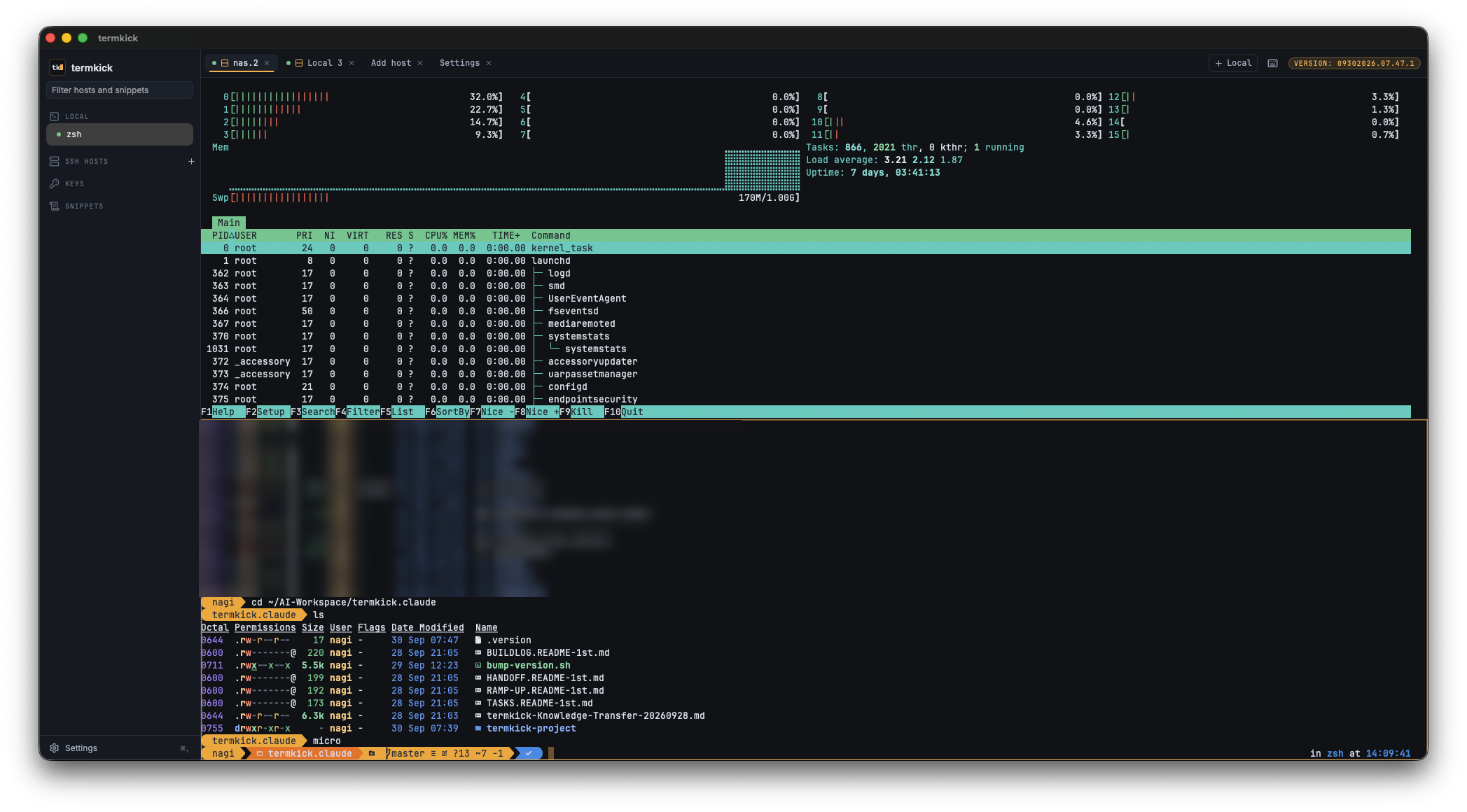
termkick with two panes side by side: htop running in one, a local zsh shell in the other, with the host sidebar on the left

▸ Two tabs, side by side. Split with Command-D, flip to top and bottom with Shift-Command-D.

What termkick does

A few things, done well. No fleets, no automations, no AI assistant, no dashboards.

Your SSH config, as-is
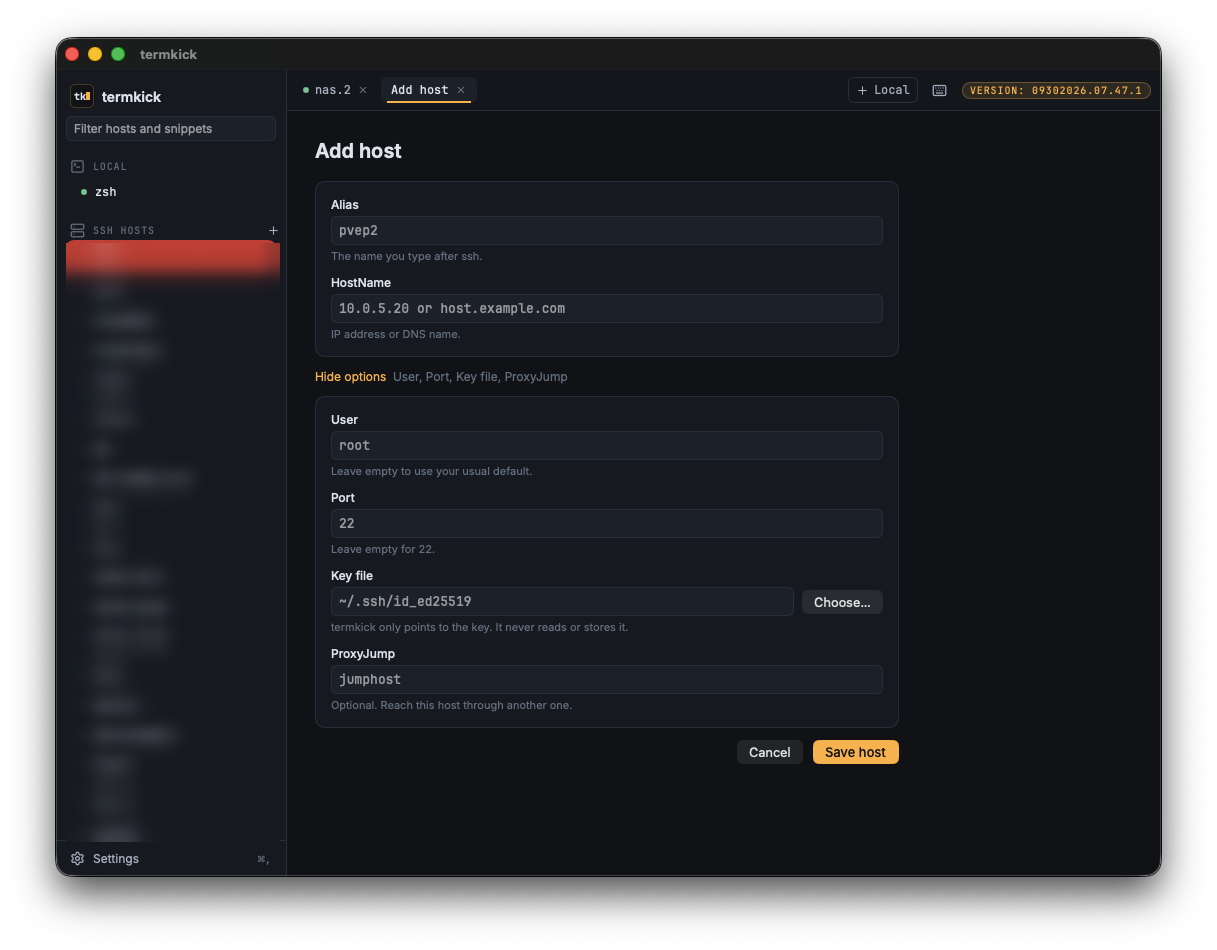
The sidebar lists every host in ~/.ssh/config and updates when the file changes. Opening a host runs the system ssh, so your keys, agent and config options behave exactly as they do in Terminal. Add a host, merge it into your config or remove it, always with a preview first and a backup of anything termkick changes.
Tabs and split panes
SSH sessions and local shells side by side in one window. Split any two tabs side by side or top and bottom, drag the divider, and switch panes from the keyboard. Command-1 to Command-9 jump between tabs.
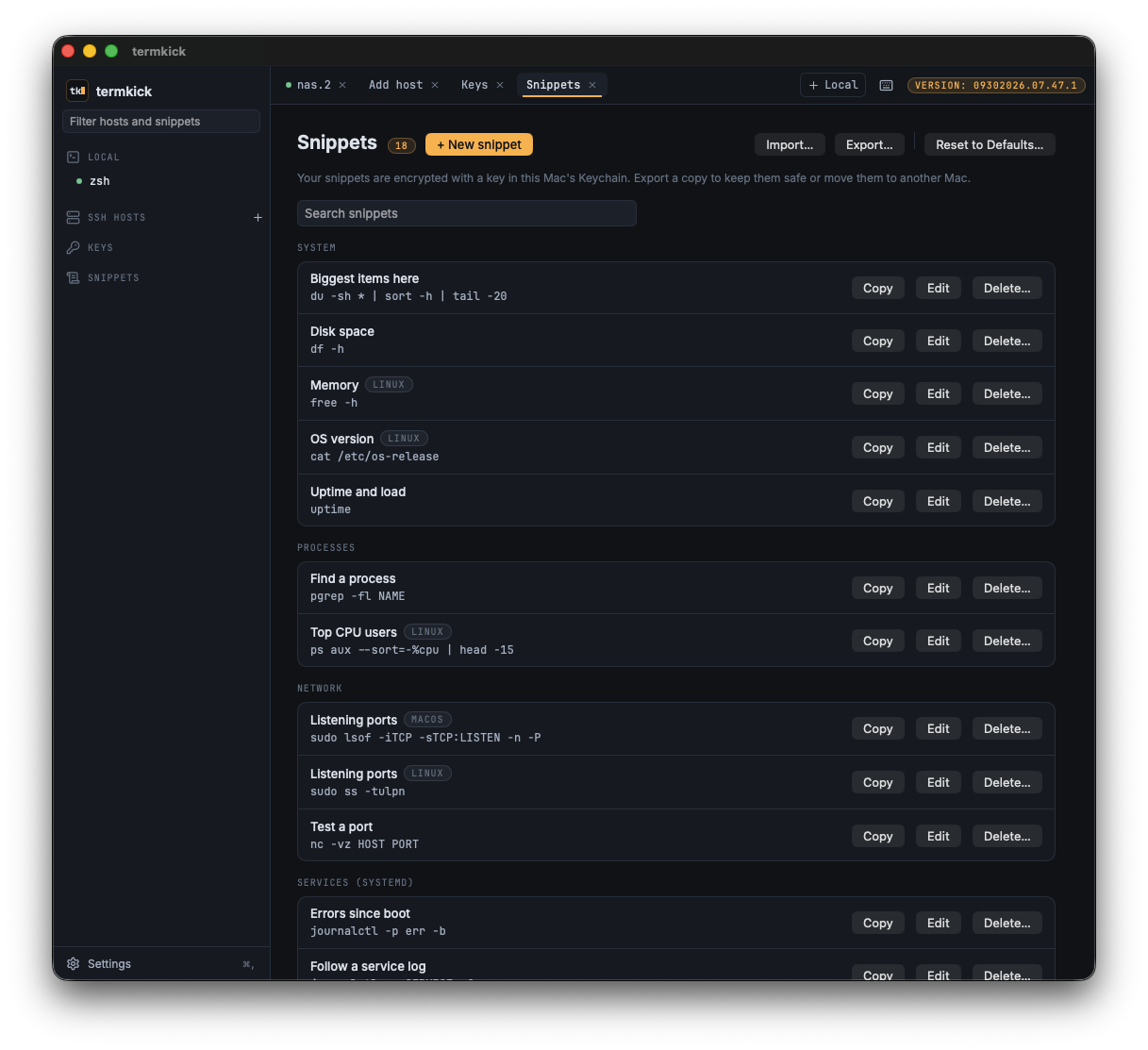
Snippets library
Keep the commands you reach for, grouped by category, with a starter set included. Choosing a snippet types it at the prompt without pressing Return, so you always see it before it runs. Snippets are stored encrypted on your Mac, and you can move them to another Mac with a passphrase-encrypted export.
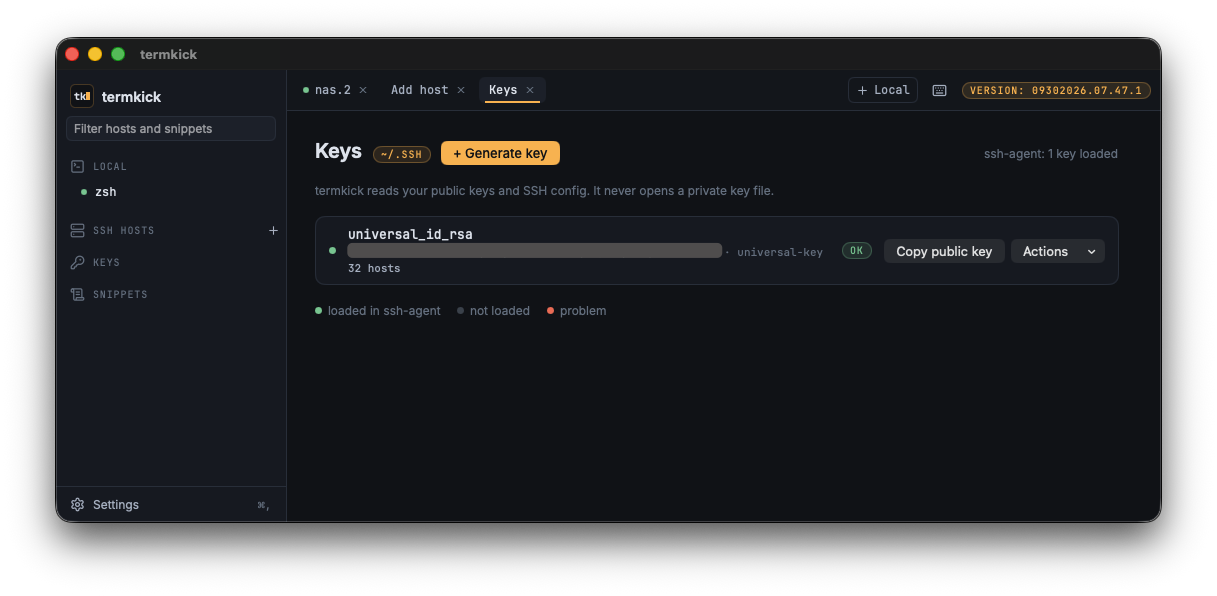
SSH key tools
See your keys, their fingerprints and whether the agent has them loaded, and copy a public key in one click. Generating a key, installing it on a host and loading it into the agent run Apple's OpenSSH tools in a visible tab, where you type any passphrase yourself.
Copy the last output
Shift-Command-C copies everything the last command printed in a local shell, with no scrolling and dragging. An optional setting copies any text the moment you select it.
Made for the Mac
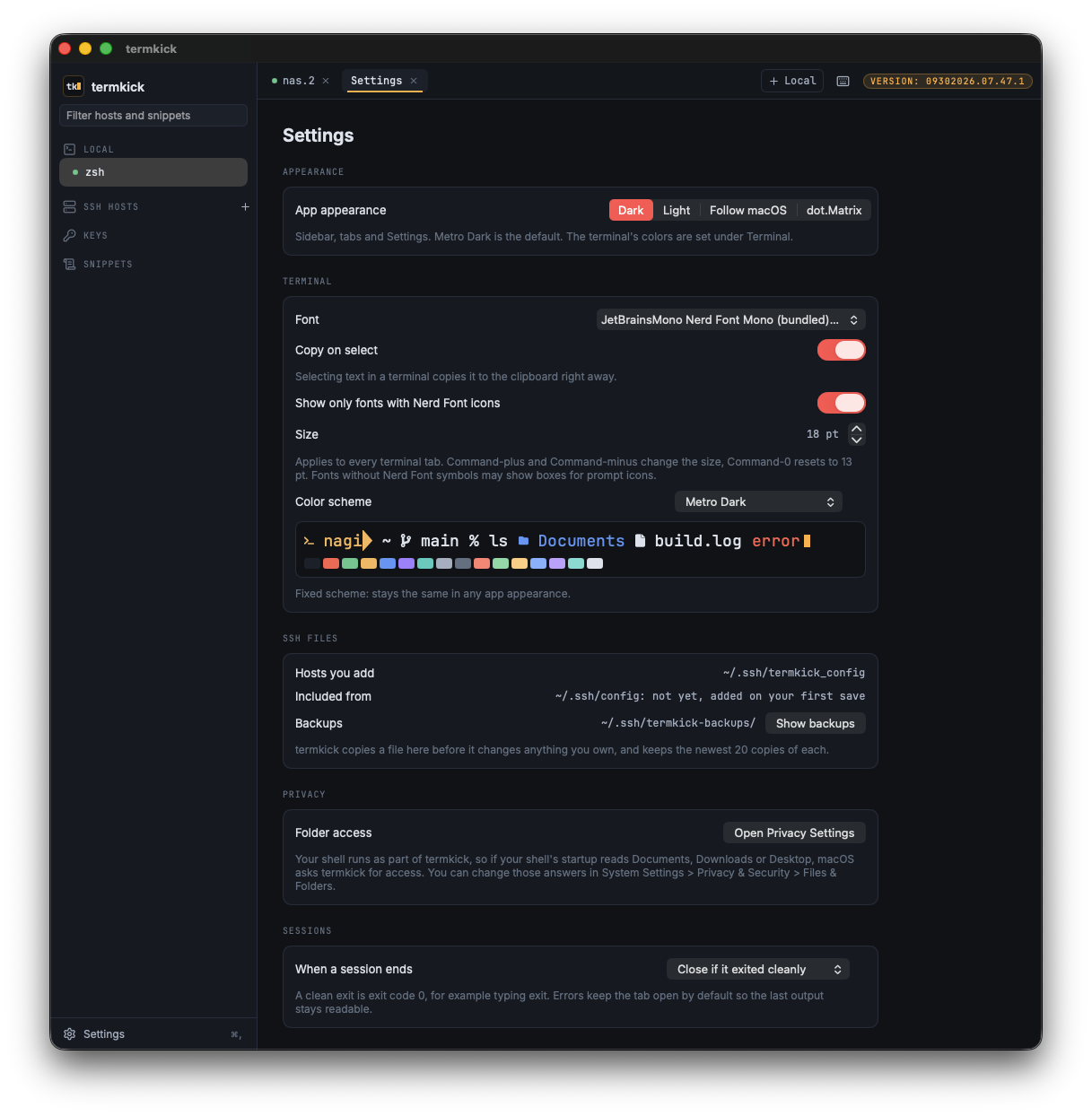
A native app, signed and notarized by N0AGI LLC. Keyboard shortcuts throughout (Command-/ lists them), light and dark appearances plus the green-phosphor dot.Matrix theme, terminal color schemes, and a bundled Nerd Font so prompt icons render out of the box.

See it in action

Click any screenshot to enlarge it.
How termkick handles your keys

An SSH client sits next to your most sensitive files. termkick is built so it never has to touch them.

Keys
Never opened by termkick
  • termkick never opens your private key files and never sees a passphrase.
  • Anything that needs a secret runs Apple's own OpenSSH tools (ssh, ssh-keygen, ssh-copy-id, ssh-add) in a visible terminal tab.
  • termkick stores no passwords. Your agent and macOS Keychain stay in charge.
Your files
Changed carefully
  • Hosts you add go into termkick's own file, included from your config. Your own entries stay yours.
  • Every change shows a preview first, keeps a timestamped backup, and writes atomically.
  • Remove the last host termkick added and it removes its own setup too.
Privacy
Nothing leaves your Mac
  • No accounts, no telemetry, no analytics. termkick makes no network connections of its own; only the SSH sessions you open go out.
  • Snippets are encrypted at rest with a key kept in your login Keychain.
  • Details in the privacy policy.

Install

Requires macOS 26.4 or later.

With Homebrew

$ brew install n0agi/tap/termkick

Update later with brew upgrade. The recipe lives in N0AGI/homebrew-tap and downloads the same signed, notarized app from this site.

Or download it

1
Download
Download termkick and open the zip to unpack termkick.app.
2
Move it to Applications
Drag termkick.app into your Applications folder, then open it. It is signed and notarized by N0AGI LLC; macOS checks it and asks you to confirm the first time you open a downloaded app.
3
Pick a host
Your hosts from ~/.ssh/config are already in the sidebar. Double-click one to connect, or press Command-T for a local shell.

Frequently asked questions

If something isn't covered here, just email. We read everything.

Is termkick really free?
Yes, fully free, with no strings attached. No credit card, no account, no trial period, no subscription and no ads. Download it and use it.
Why isn't it on the Mac App Store?
Mac App Store apps must run in Apple's sandbox, and a sandboxed app cannot start a real local shell or read your ~/.ssh folder. termkick is distributed as a direct download instead, signed and notarized by N0AGI LLC, like most Mac terminal apps.
Do my existing hosts, keys and ProxyJump setups just work?
Yes. termkick runs the system ssh with your host alias, so everything in your config and agent applies exactly as it does in Terminal.
Which shells does Copy last output support?
Local zsh tabs, which is the macOS default shell. termkick adds the command markers itself without touching your dotfiles. In SSH tabs it works only if the remote shell sends the same markers.
How do I update?
If you installed with Homebrew, run brew upgrade. Otherwise, download the latest build from this page and replace the app in Applications. Either way, your hosts, snippets and settings stay in place.

Need help? Found a bug? Have a feature request?

termkick is built by an indie shop. Every email is read by a human (Nagi).